
4 Data-Backed Strategies to Improve Product Quiz Conversion Rates

Getting a shopper to start a product quiz is the easy part. A sharp headline, a clean entry screen, a promise of personalized results—that's usually enough to earn that first click. But getting them to finish? That's where most stores quietly bleed money.
The gap between quiz starters and quiz completers is where the real eCommerce conversion rate optimization opportunity hides. Here are four specific, proven tactics that leading Shopify brands use to close it.
Strategy 1: Photos Beat Paragraphs Every Time
Reading a question, interpreting it, and then classifying yourself takes mental effort. Tapping a photo that clearly matches your situation? That's almost automatic. Research confirms that the brain can process an image in as little as 13 milliseconds, making visual inputs dramatically faster to process than written descriptions.
For product categories like skincare, haircare, and lifestyle goods, this matters enormously. When someone sees a photo of their skin type rather than reading three bullet points describing it, the answer becomes obvious—not considered.
This is one of the most replicable improve product quiz conversion rates strategies available: replace text descriptions with images wherever the subject is visual.
The "Tap and Go" Effect in Action
Function of Beauty's hair quiz demonstrates this principle well. Instead of asking shoppers to self-classify hair damage through dropdown menus, the quiz uses visual prompts for damage scores, textures, and goals. Users tap through quickly—the experience feels more like browsing than form-filling.

The result is a shopper who feels genuinely understood by the time they reach the results page, which is where conversions actually happen.
Strategy 2: Show People How Close They Are to Finishing
Behavioral economists have documented the endowment effect extensively: people assign a higher value to things they already partially possess. A progress bar showing "50% complete" doesn't just display information—it creates a psychological pull to finish what was started.
This mechanism is more powerful than it sounds. Users who can see their progress are significantly less likely to abandon, especially in the middle sections of a quiz where motivation is lowest.
Two things a progress bar accomplishes at once:
It signals that finishing is achievable
It reframes the quiz as a task being completed rather than a form being filled out
Stumpcraft Keeps It Moving
Stumpcraft's puzzle finder quiz is a clean example of expectation management done right. The quiz is framed as short and targeted—helping new puzzlers and enthusiasts alike find the right fit, whether for themselves or as a gift. Progress indicators keep users oriented throughout, making the experience feel fast even when it's thorough.

Strategy 3: The Start Page Is a Landing Page—Treat It Like One
The quiz entry screen has one job: earn the first click. Yet many brands treat it as an afterthought—a generic headline, a faint brand logo, and a button that says "Start." That's a missed opportunity, and it costs completion rate points before the quiz even begins.
A minimal, branded entry page with a clear value proposition reduces the hesitation that causes users to scroll past. Three elements do the heavy lifting here:
A specific outcome statement ("Find your perfect supplement stack in 2 minutes")
A trust signal or social proof element
One prominent, uncluttered call-to-action
Telling People What They'll Get Changes Behavior
Shoppers are trading time for a recommendation. Telling them exactly what they'll receive in return—a personalized routine, a matched product, a health score—frames the quiz as a fair exchange. Without that clarity, the quiz feels like a data collection exercise, not a service.
The landing page is also the right place to mention any incentive tied to completion — for example, a promo code or discount that unlocks after the shopper finishes the quiz. That kind of concrete reward sharpens the value exchange further: the shopper isn’t just getting a recommendation, they’re getting a discount they can use immediately. It’s one of the more direct levers available for lifting both completion rates and first-order conversion.
This clarity is foundational to any serious improve product quiz conversion rates strategies approach: if users don't understand the value upfront, they won't invest the effort to finish.
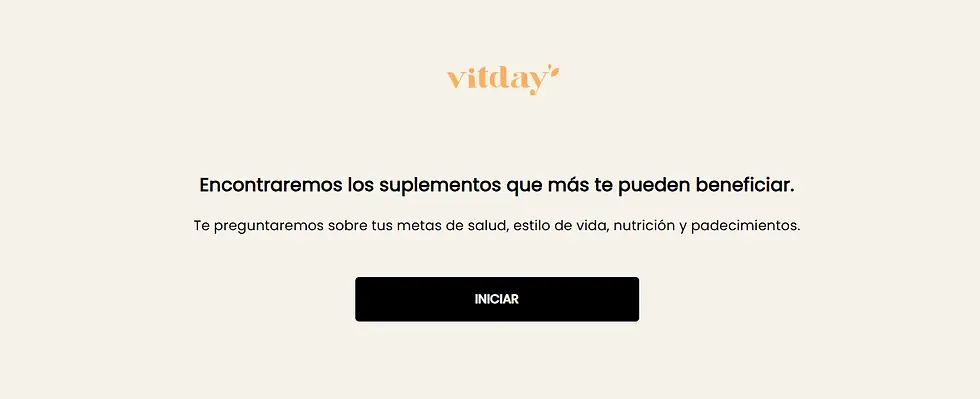
Vitday Gets the Entry Screen Right
Vitday's supplement quiz opens with a direct promise: discover the best supplements based on health goals, lifestyle, nutrition, and conditions. The entry experience is clean and purposeful. No ambiguity about what the quiz does or what the user will receive—just a clear invitation to start.
Strategy 4: Make the Results Page Do the Heavy Lifting
Most quiz results pages display product recommendations with individual "Add to Cart" buttons. The logic seems sound, but it introduces a problem: multiple decisions at a moment when the shopper is already satisfied. Every additional click is another opportunity to leave.
The "Add All to Cart" single-button approach collapses that process. The shopper sees their recommended routine and adds everything in one action. Brands using product recommendation quizzes can expect average order value to increase by around 20% when the results page is designed to convert effectively—and reducing friction at that final step is a major part of why.
Explaining the Match Reduces Hesitation
The results page also needs to justify the recommendation. A shopper who understands why a product was matched to their profile is less likely to second-guess the purchase.
Brief explanatory copy beneath each recommended product—one or two sentences connecting it to the user's specific answers—reduces buyer hesitation and supports higher order values. This is the "educational close," and it's one of the more overlooked improve product quiz conversion rates strategies in eCommerce.
Facetheory Closes with Confidence
Facetheory's skincare quiz builds a multi-step routine based on skin type, sensitivity, and goals, then presents results with clear contextual explanations. Users leave the results page feeling informed, not just sold to. That distinction matters more than most brands realize.

How Shopify Stores Scale These Strategies
All four strategies above require a quiz tool that can actually execute them—image-based questions, progress bars, clean start pages, smart results pages with cart integration. For Shopify merchants, this is where app selection becomes important. A slow or poorly integrated quiz creates new conversion problems rather than solving existing ones.
Apps with "Built for Shopify" certification meet Shopify's performance standards, which means faster load times and no drag on store SEO. Visual Quiz Builder is the platform behind several examples in this article, including Function of Beauty's quiz.
Features That Support These Strategies Directly
Here's what makes VQB worth noting for conversion optimization for eCommerce on Shopify specifically:
Mobile-First UI — Most shopping happens on smartphones. VQB's tap-to-answer interface is designed for that context, with large visual targets and fast-loading images.
Logic Branching — If a shopper indicates oily skin, there's no reason to show them dry-skin questions. Branching skips irrelevant steps automatically, keeping the quiz short and accurate.
Zero-Party Data Sync — Quiz answers connect directly to Shopify customer profiles, enabling post-purchase campaigns that reference a shopper's specific skin type, hair goals, or supplement preferences.
These features collectively address the core improve product quiz conversion rates strategies challenge: making the path from "just browsing" to "ready to buy" as smooth as possible.
Frequently Asked Questions
What's a realistic completion rate target for a product quiz?
A strong benchmark is around 73%—roughly three out of four users who start the quiz should finish it. Rates well below 60% usually point to a quiz that's too long, asks for an email too early, or lacks visual engagement.
When should the quiz ask for a customer's email?
Asking at the end—just before showing results—consistently outperforms early email gates. At that point, users have already invested time and are eager to see what they've earned.
How many questions should a product quiz have?
For most product categories, 5–10 questions is the right range. The sweet spot for quiz engagement is around seven questions—enough to generate an accurate recommendation without pushing users toward fatigue.
Will a quiz slow down my Shopify store?
With a Built for Shopify app like Visual Quiz Builder, the impact is negligible. These apps are built to Shopify's performance standards, so high-resolution images load quickly without affecting page speed scores or SEO.


